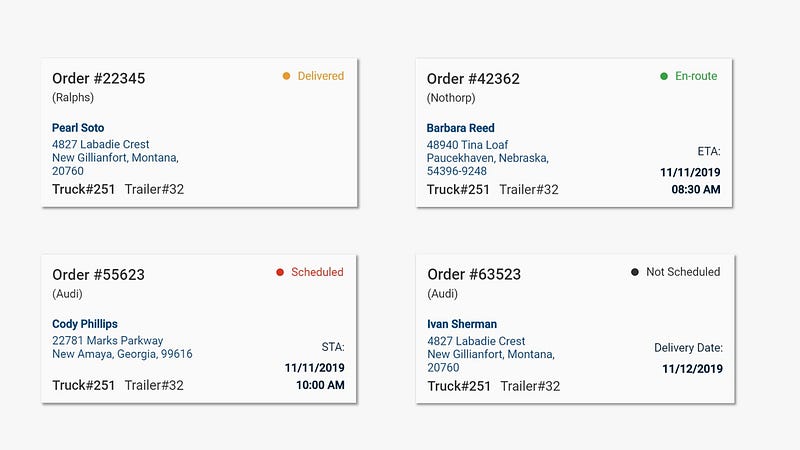
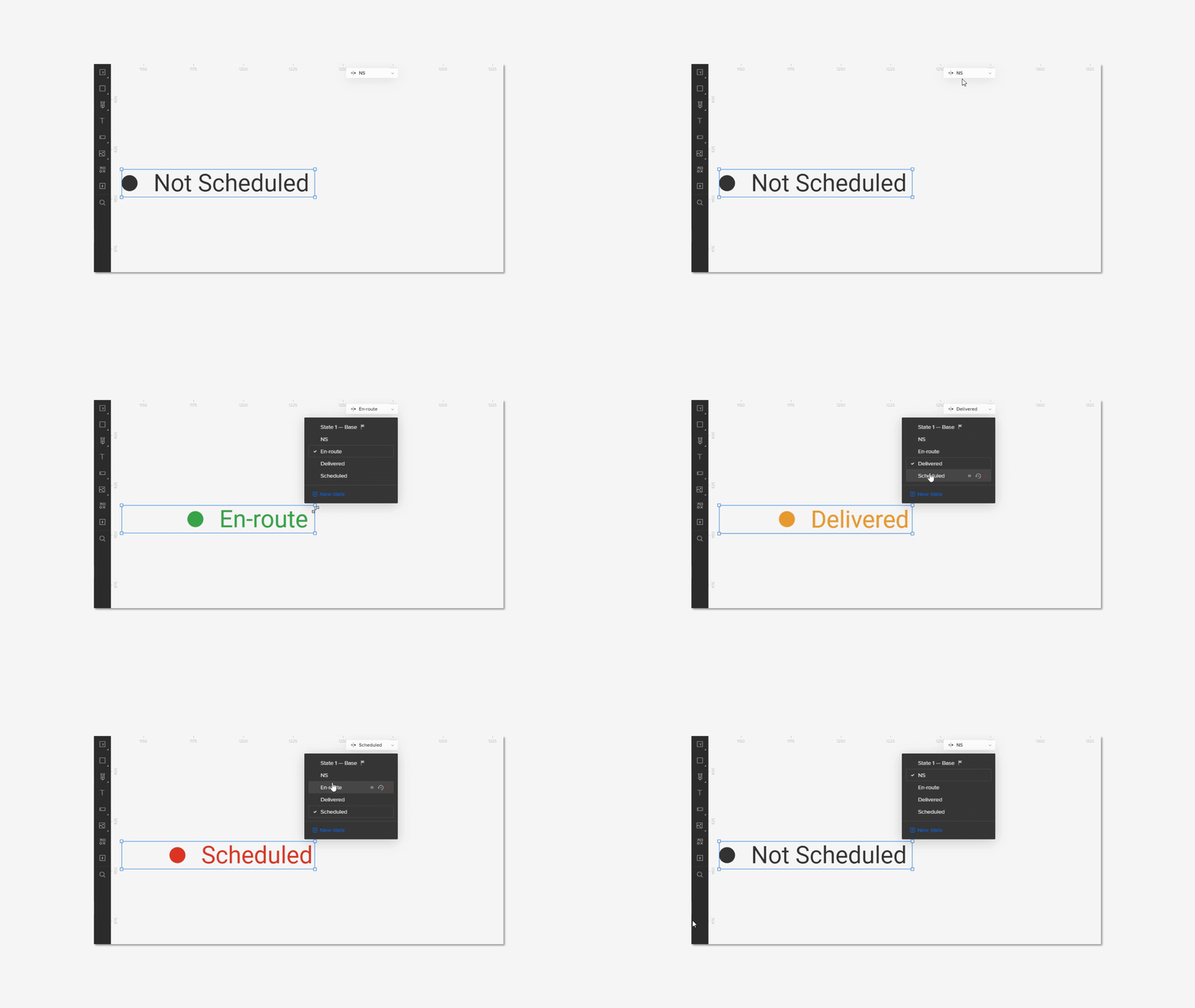
At the time of being a consultant at Logicwind(partnered with Cappital), I got to design for several enterprise products in which the company was responsible to deliver them end-to-end experiences such as Enterprise SaaS app, mobile app and website.
My role:
At the Logicwind, they have developed their own tech-framework using React and MERN stack focusing to solve complex Enterprise SaaS problems so my primary role was to gather and understand the requirements from stakeholders and convert them into a viable solution- the wireframes.
Worked with:
Project Manager, Senior Developer, Users of the company:{Customer Service Executive, Sales Manager, Driver, Customer, Super-admin(Owner)}
Company Name:
OmniDuct: https://www.omniduct.com/
Problem:
The company which work at such a large scale, it was hard to track and manage their shipping, customers, drivers and sales managers. They needed to come up with a central solution which would help them get in synchronization under the single source of truth.
Tools I used:
Zoom video conference: For conducting the interview and conference calls with client and users.
Pen/Paper: Foe initial brainstorming and paper prototyping.
MindMeister: For designing mind-maps and flows.
Draw.io: For database designing.
ClickUP: For project and deadline management.
Google chat: For communicating across teams.
UXPin: For designing the fully interactive prototype and collaborating with stakeholders.
The challenges of this project:
As this was a complex system, they had their own convention of naming things. There were too many technical terms to crack into simple word to be understood by us. We had several brainstorming sessions to simplify all of this in the paper. I led almost all of these sessions.
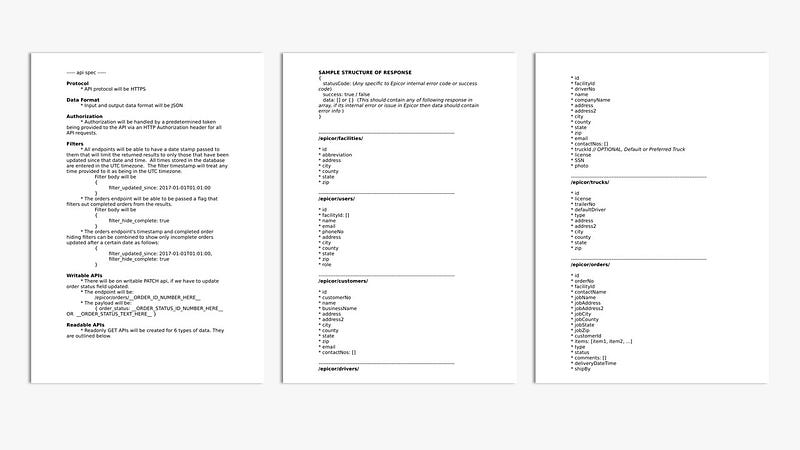
API Documentation
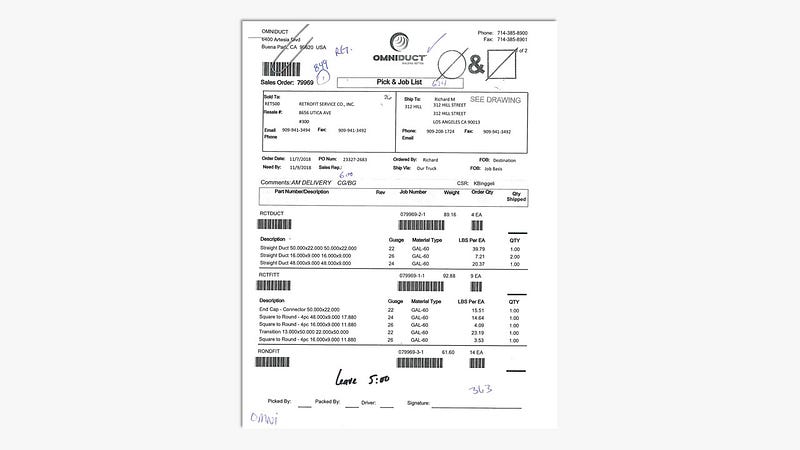
Supporting document
Deliverable at the end of project:
Database schema.
Flows: For all types of users.
Wireframe: Web app- Super admin(includes flow for Customer Service executive, Shipping manager and Admin)
Wireframe: Mobile app-Driver
Wireframe: Mobile app-Customer
Phase 1: Understanding and Simplifying
As I mentioned earlier, we spent hours to understand their system. During the initials process, we fetched out a few raw information which would drive us design DB, flow and wireframe in the upcoming stage. The process for both the experiences of various users explained below.
For Web experience:
Design an experience for Customer Service executive.
Design an experience for Shipping Manager
Design an experience for owner/super-admin.
Persona 1: Customer Service executive
To figure out what how CS exec’s flow would look like I talked with few of their CS executives and interviews them by asking series of questions. The below image would summarize the insights I got from that.

Web app user 1: Customer Service executive
Persona 2: Shipping Manager
Same way as CS exec, I interviewed few of the Shipping Managers as well. The below figure would conclude the insights generated.
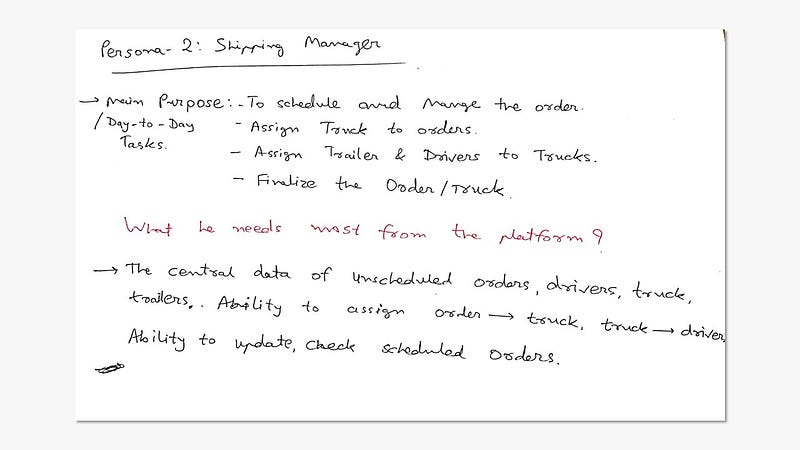
Web app user 2: Shipping Manager
Persona X: Super admin
I marked this persona as X, as it would cover all the experiences of the above two users and have a few of his own. This will be the most upper level and generalized experience which would be responsible for covering all the nuances of the platform.
Here are the few objectives from platform which helped me design the UX.
Elements:
I uses the general term for easy understanding. This would cover all the building blocks such as Atoms or Molecules (reference: http://atomicdesign.bradfrost.com/) of the platform.

Elements-which would be attributes of DB
Modules:
While designing as complex as UX like this, I always define the modules first. These modules are for persona-X so so for other users some of the modules will be optional.
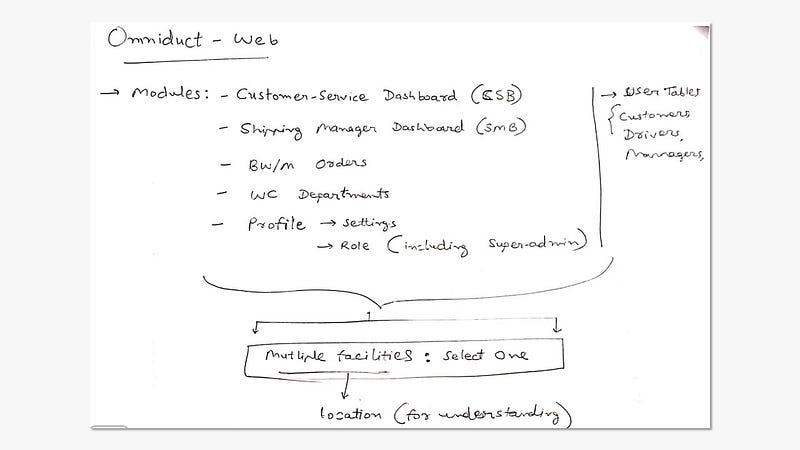
Modules- which would become headings of Navigation
The structure and hierarchy:
To decide the flow and UX, I first needed to come up with structure in order to decide priority of actions. Below 2 sketches will give you a clear idea.
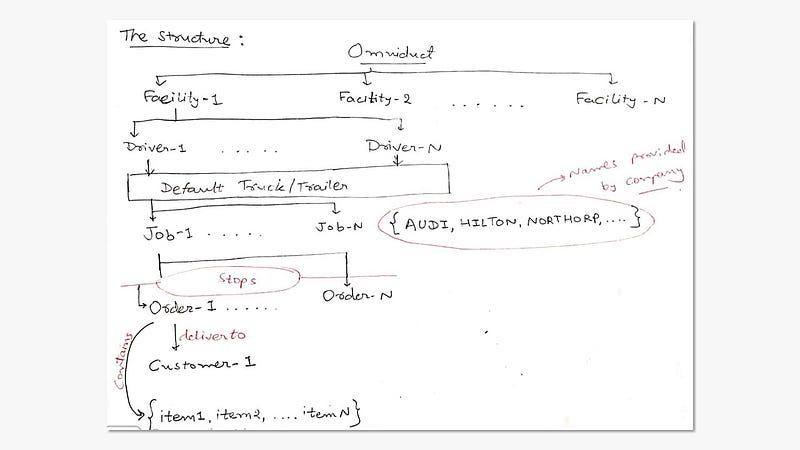
Struture- which would help us define the user flow
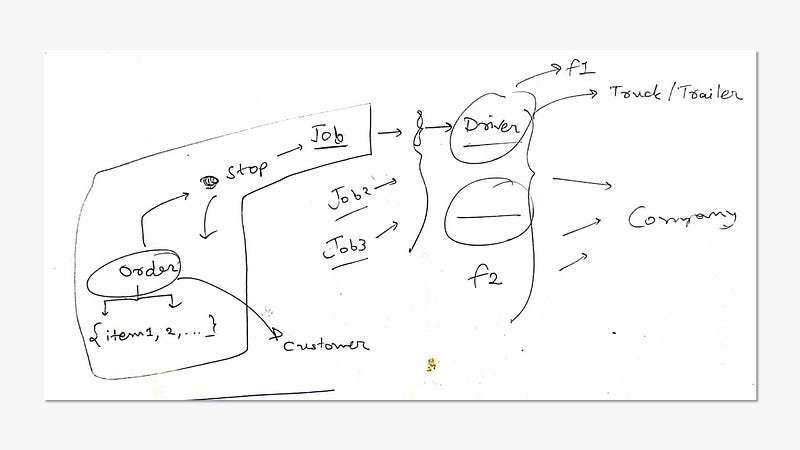
The hierarchy
The structure and hierarchy:
Perhaps this is not an actual visualization, this is the first image of flow that we decided after hours of research and brainstorming.

The raw visualisation of platform
For Mobile experience:
Design an experience for Driver.
Design an experience for Customer.
For both of the mobile experiences, the owner was very clear with the vision. So almost all the objectives were defined already. Although, we did invest in ‘paper prototyping’ and iterating.
Persona 1: Driver
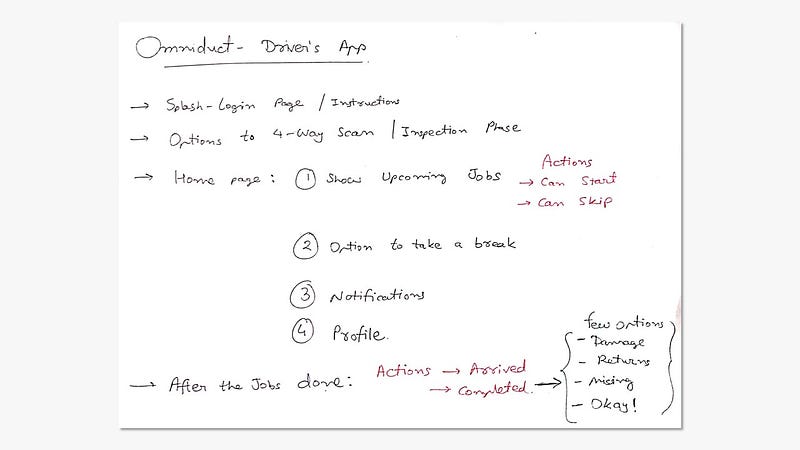
Driver’s app objectives
Persona 2: Customer
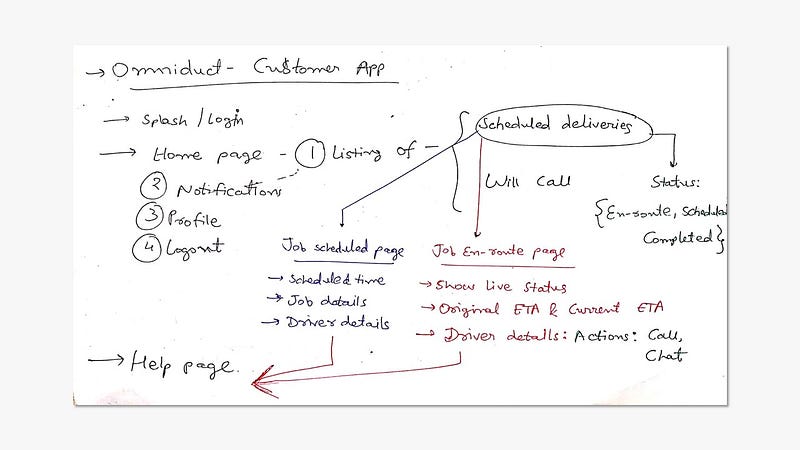
Customer app objectives
Phase 2: Paper prototyping
After deciding the final modules and things to include in UX I moved to paper prototyping(or the dirty mock-up). This may sound or look a little weirder but this process is cheap and helps us save the time, energy and resources! Additionally, iterations on this paper prototypes give a very clear perspective of a final flow.
P.S.: I sent out the all the sketches in interactive prototype format but right now I’m attaching the single shot consisting all the screens.
Mobile experience:

Driver app- Paper prototype/User flow

Customer app- Paper prototype/User flow
Unfortunately, I can’t recollect the sketches of web experience as of now. As soon as I find, I’ll attach them here!
Phase 3: Wireframing
Here comes the most exciting part: rapid and interactive prototyping. Remember, these are all the lo-fi(less visually pleasing) wireframe but they all are fully interactive so me and my team used these set of wirframes in order to research and iterate over the course of project timeline. I always believe in this,
“Keep your project in low fidelity wireframes as long as possible.”
Instead of writing too much, I’m simple attaching the GIF shots of important screen from all the platforms.

Customer Service Dashboard (Fully interactive lo-fi prototype)
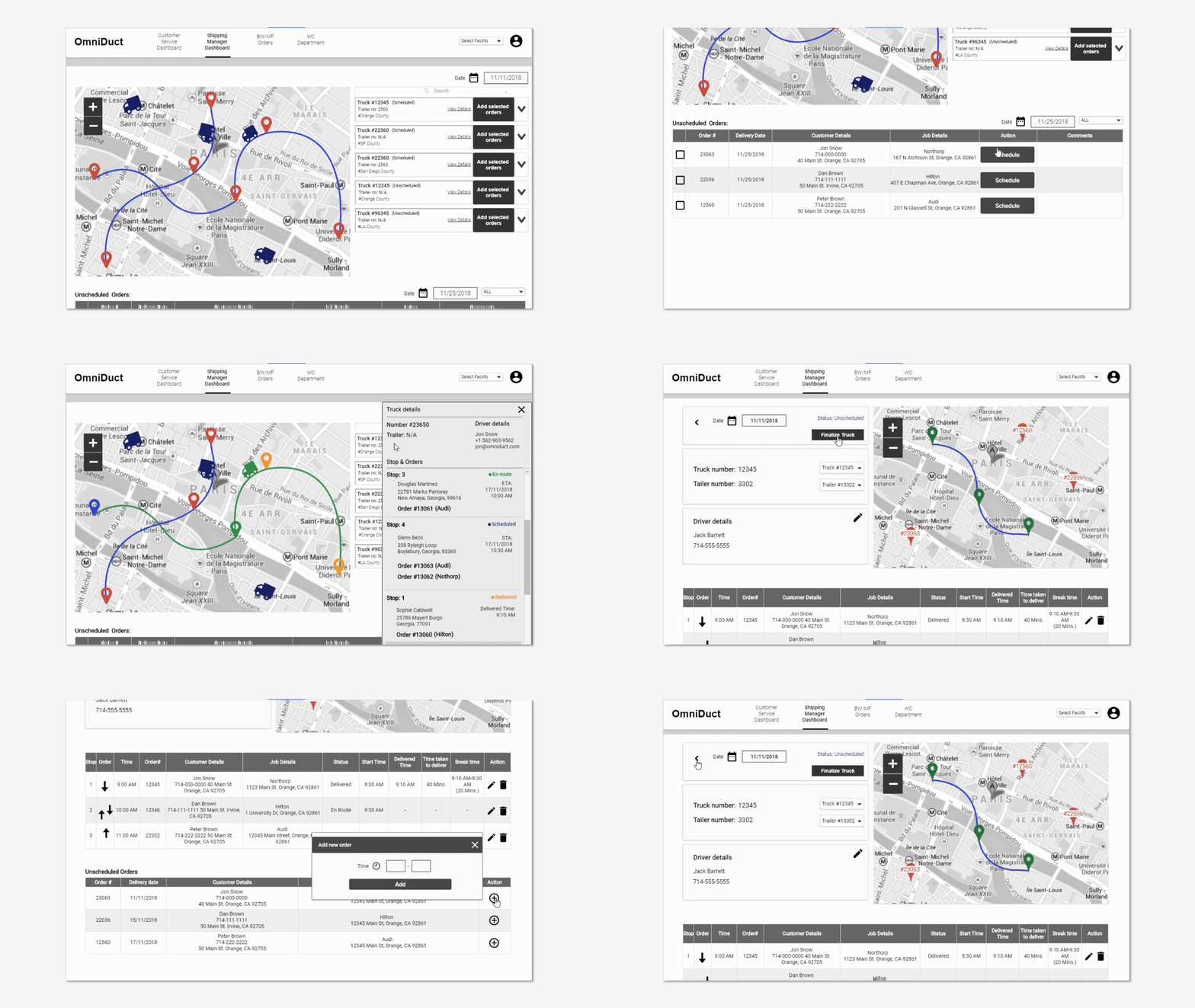
Shipping Manager Dashboard (Fully interactive lo-fi prototype)

Customer App low-fidelity prototype
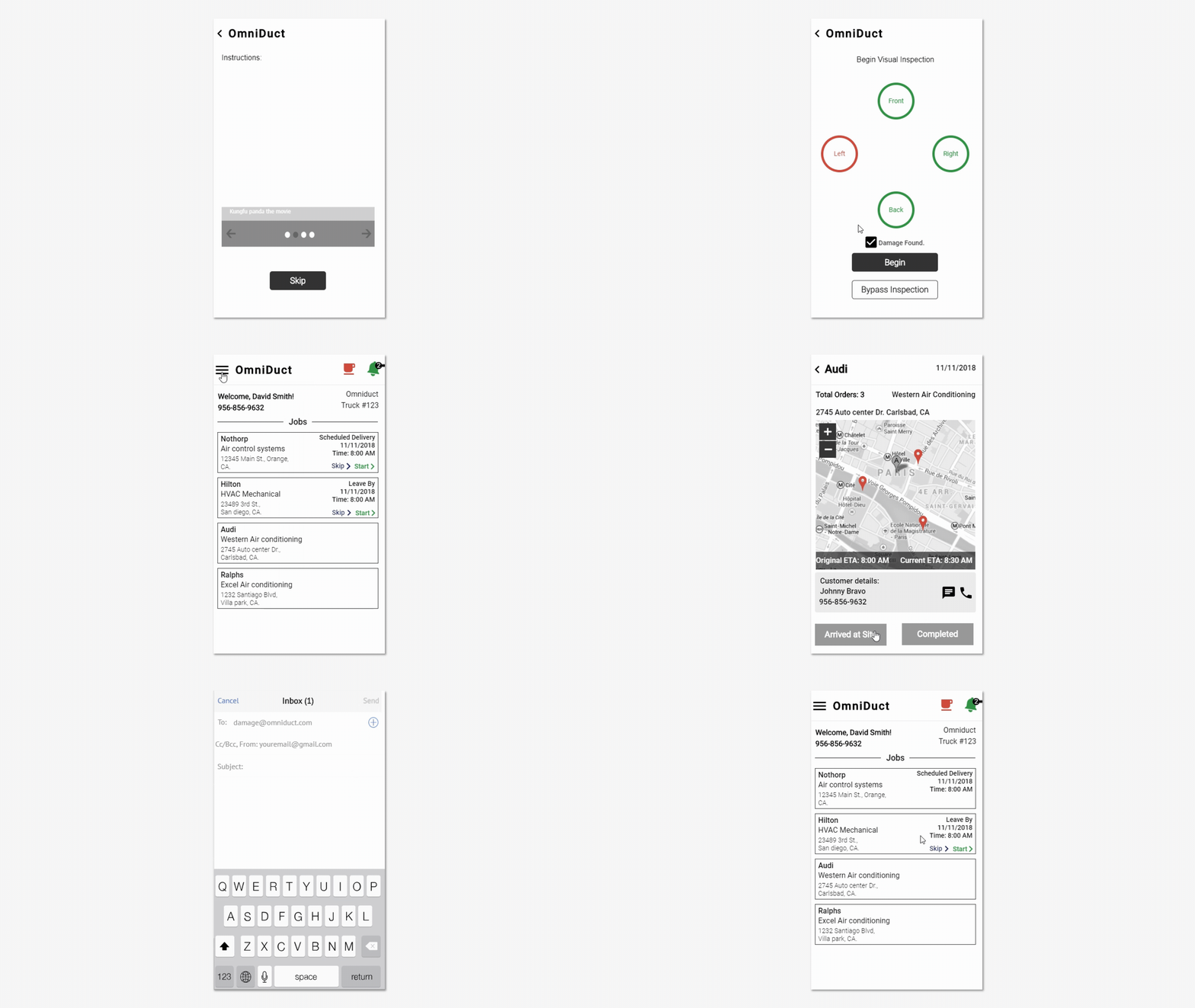
Driver App low-fidelity prototype
Idea validation and Iteration:
We iterated this flow several times. On every new revision, client would comment and I work on those comments. We repeated this cycle several times before reaching to the final conclusion. Here you can see the sample comment section of our prototype.
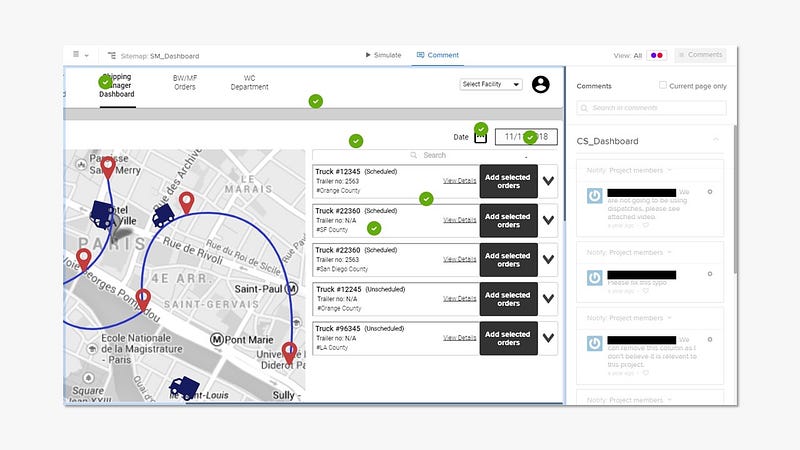
Comments on the Web-app
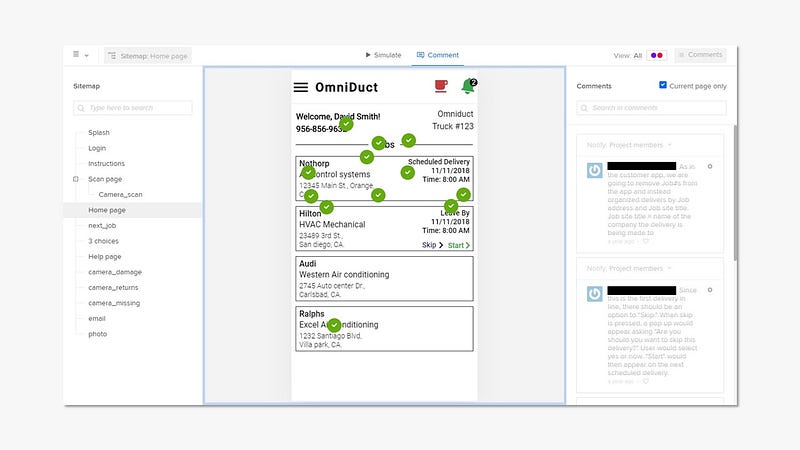
Comments on the Driver-app
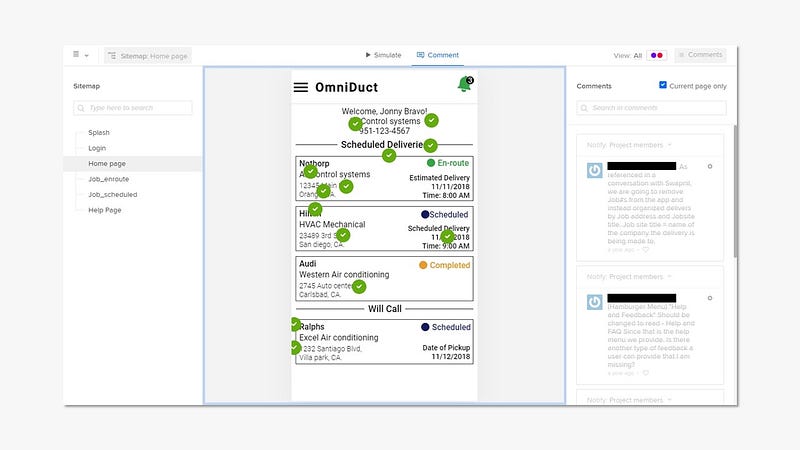
Comments on the Customer-app
Phase 4: Visual design and Design system
At the end of the process, I was strictly asked to design few of the screens visually but not all as front-end people are already smart at company. But they certainly insisted on creating component based design system.
Here are the few shots of visual(high-fidelity) prototype.
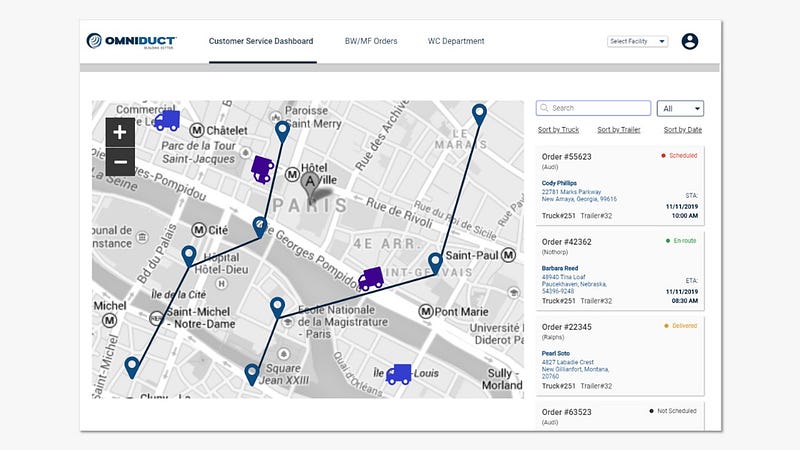
CS Dashboard high-fidelity prototype(Image)
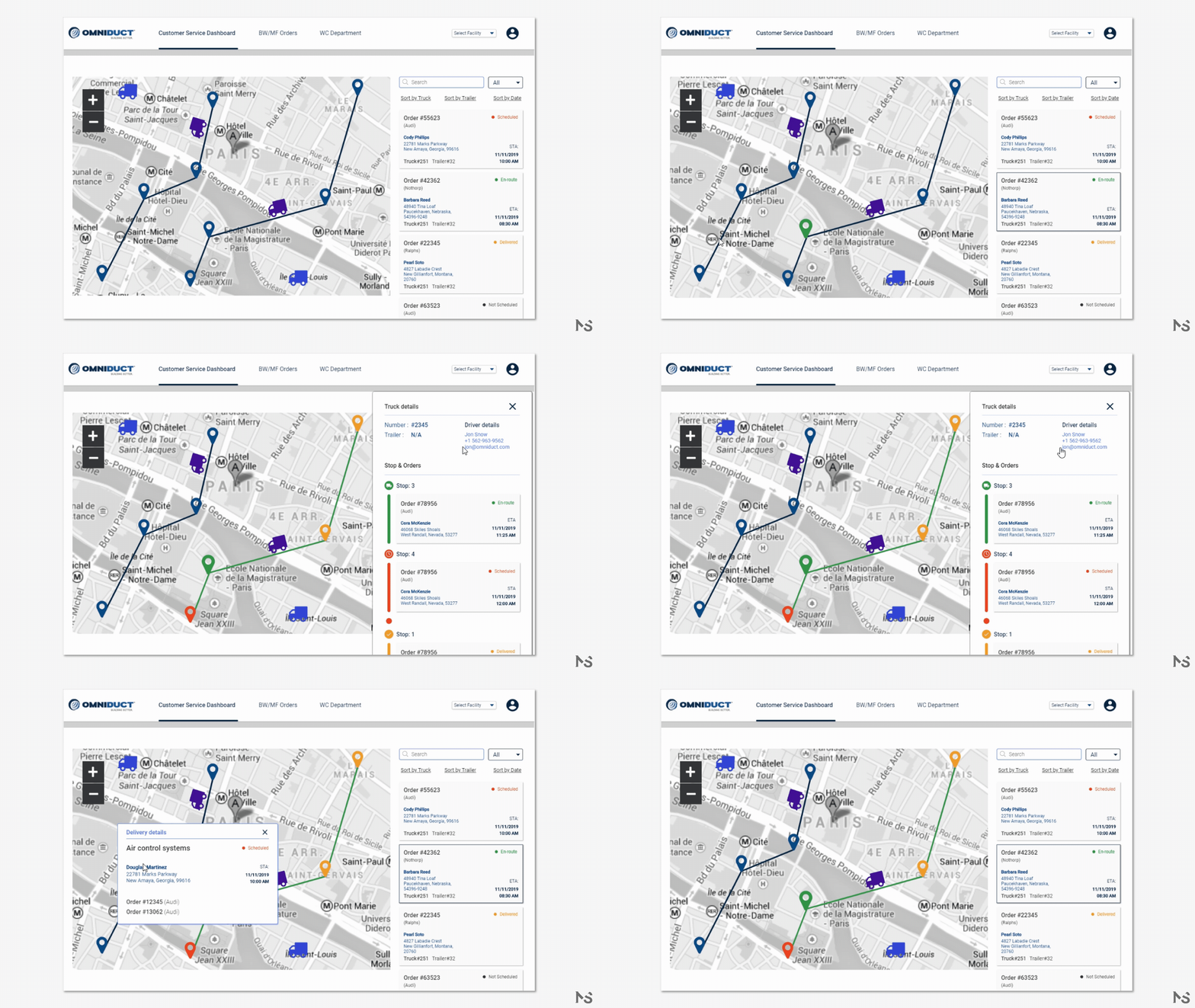
CS Dashboard high-fidelity prototype(Video)
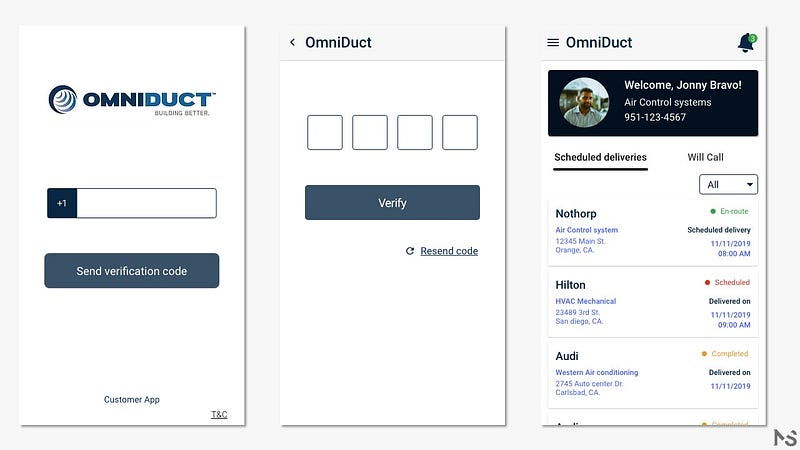
Customer app high-fidelity prototype(Images)
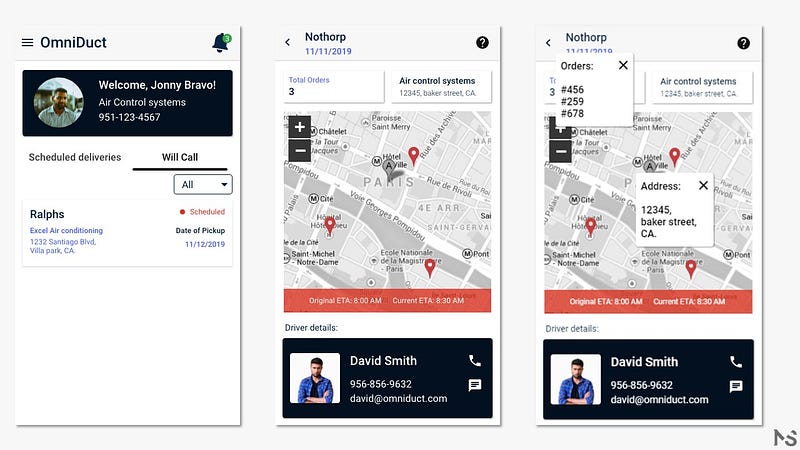
Customer app high-fidelity prototype (Images)
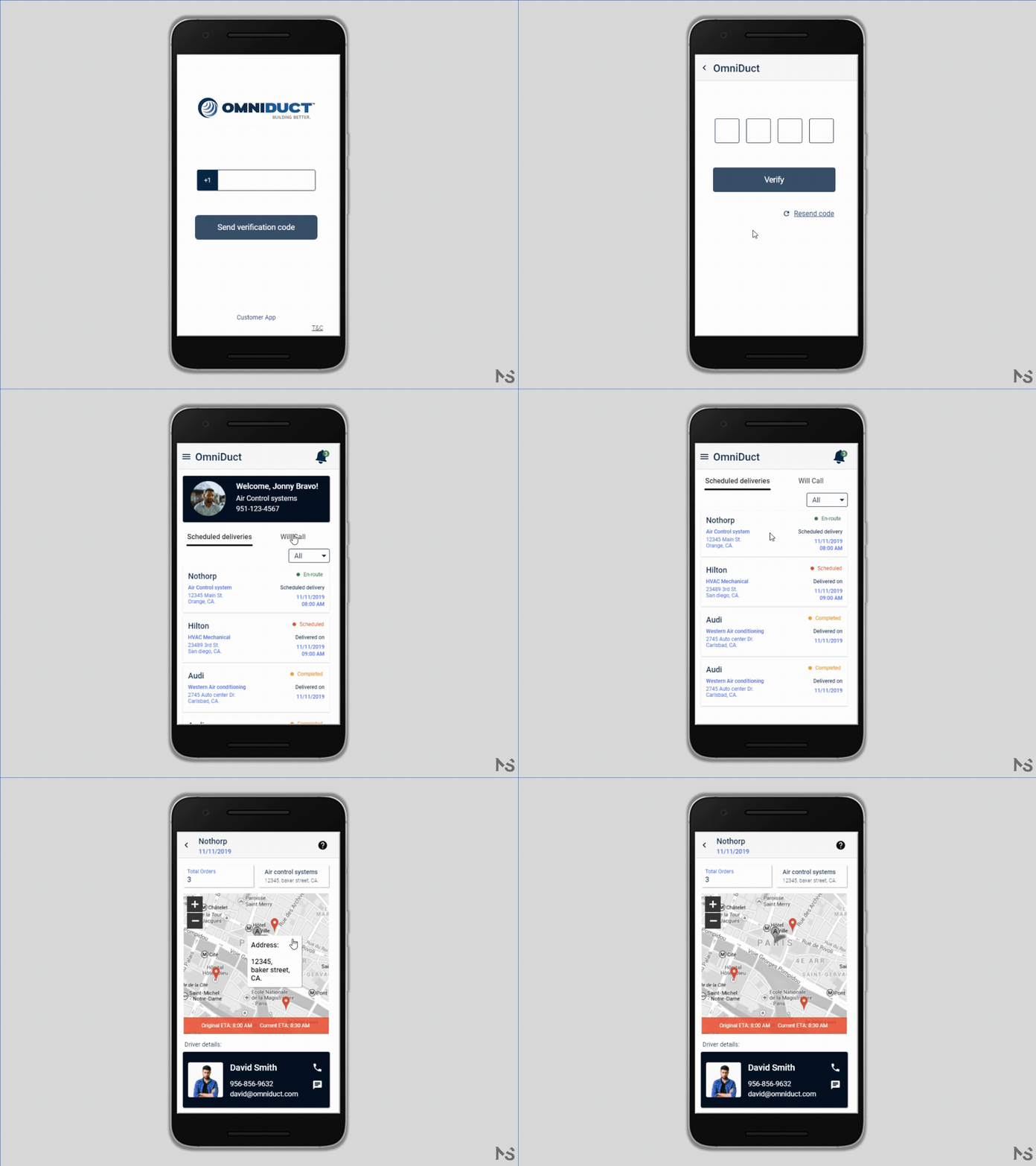
Fully interactive high-fidelity prototype of Customer App (Video)
Design System:
I designed the fully salable component-based design system. With the help of the advanced features of UXPin, I managed to create a design system that will help them improve their design even if I’m not there.
Read more about the state and components here:
Here are few of the shots from the Design system.